Skip to content
View in the app

A better way to browse. Learn more.

Official Forum of Mobile MMORPG Skylore

A full-screen app on your home screen with push notifications, badges and more.

To install this app on iOS and iPadOS
  1. Tap the Share icon in Safari
  2. Scroll the menu and tap Add to Home Screen.
  3. Tap Add in the top-right corner.
To install this app on Android
  1. Tap the 3-dot menu (⋮) in the top-right corner of the browser.
  2. Tap Add to Home screen or Install app.
  3. Confirm by tapping Install.
  • Search By Tags

    Search will match any tag entered
  • Search By Author

Content Type

Forums

  • International community
    • News & Announcement
    • General section
    • Guides
    • Bug reports
    • Suggestions
    • Guilds
    • Tavern "Hoppy Hog"
    • Creative section
    • Contests
    • Reviews and impressions
  • Русское сообщество
    • Новости и анонсы
    • Общий раздел
    • Руководства
    • Сообщения об ошибках
    • Предложения
    • Гильдии
    • Трактир "Хмельной Боров"
    • Творческий раздел
    • Конкурсы

Find results in

Find results that contain...

Date Created

  • Start

    End

Last Updated

  • Start

    End


Filter by number of...

  • Minimum number of replies

  • Minimum number of views

Found 2 results

  1. Puppymaster posted a topic in Other
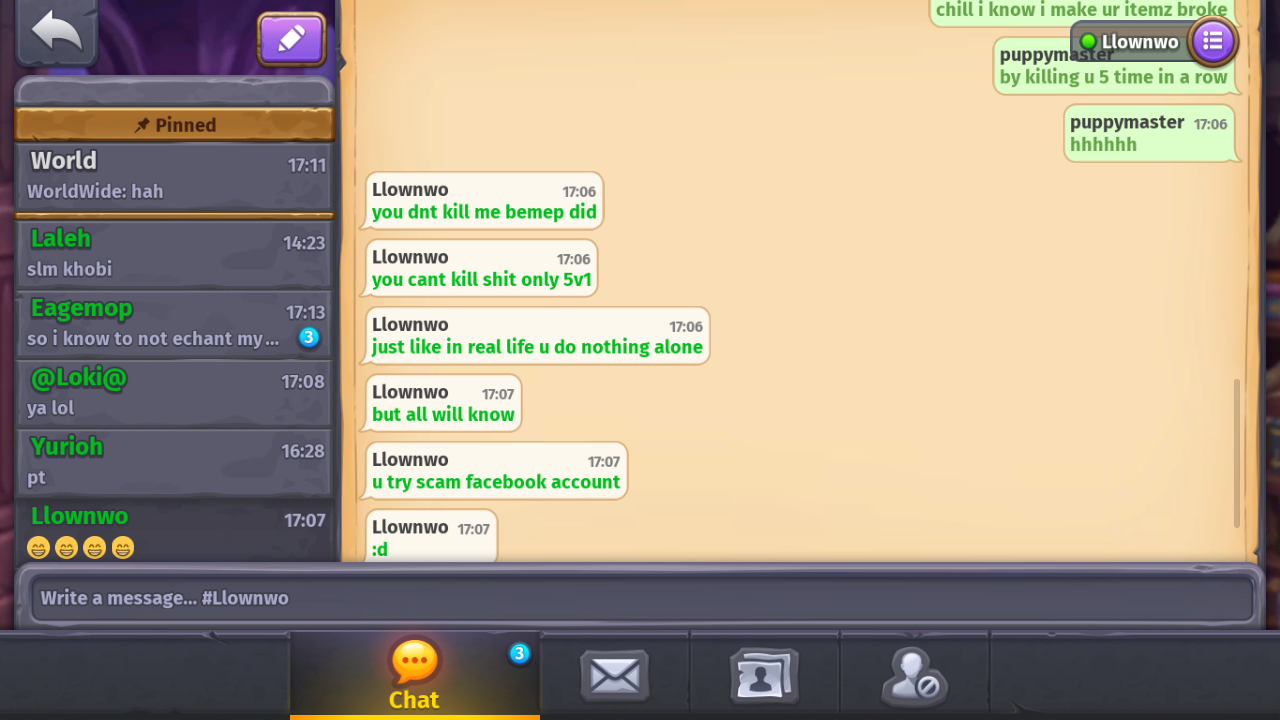
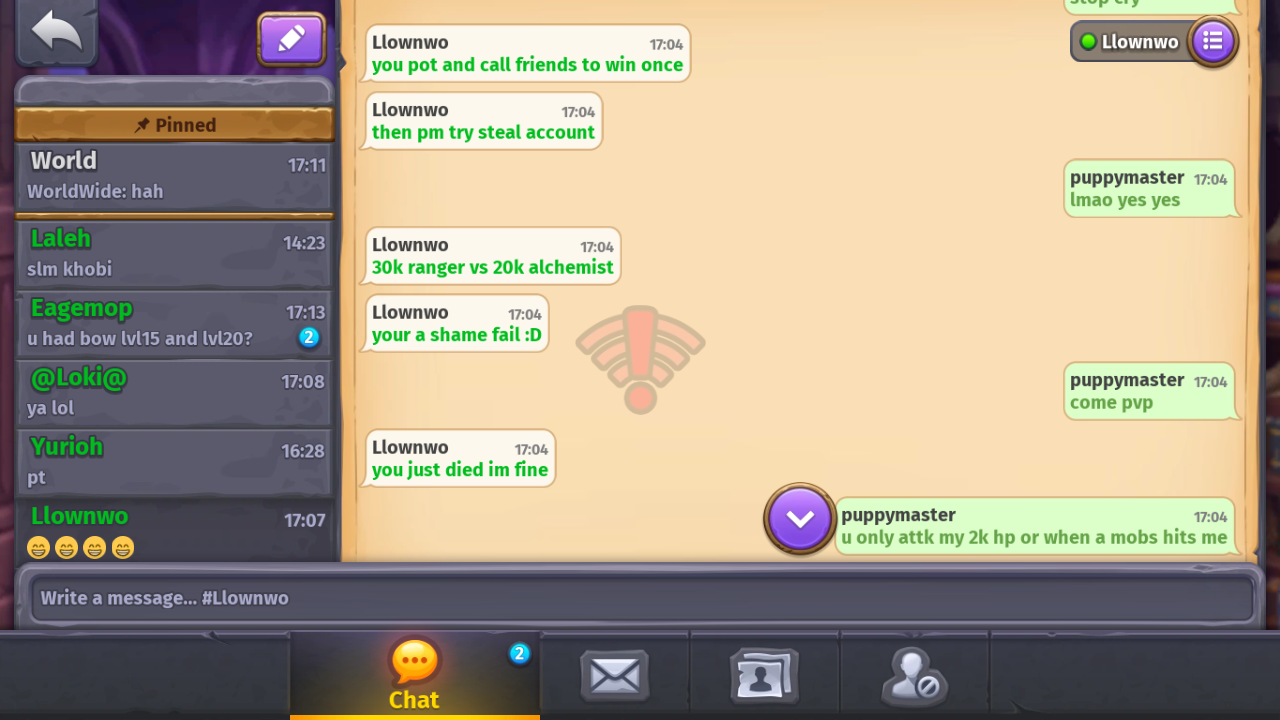
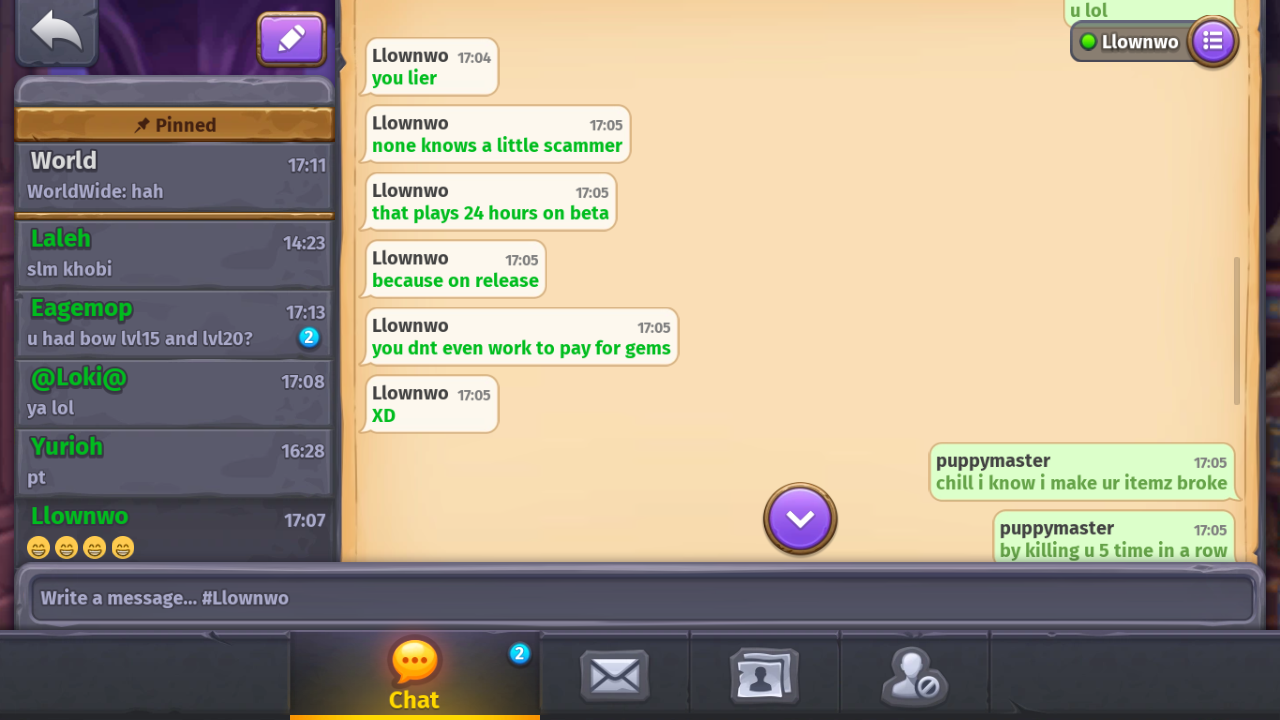
    Hey there. There is a alchemists named Hassn He dead 5 time or more in a row vs me in upper level cave and then he log another id to call me scammer in worldchat then he pm me now all players thinks ur a scammer LMAO . First of all I'm known player in ws And i would never scam any player but im helping alot of players so. I just wanted to warn players about him who stole a name from war spear to fool people xd Thanks alot! #puppymaster
Account

Navigation

Search

Search

Configure browser push notifications

Chrome (Android)
  1. Tap the lock icon next to the address bar.
  2. Tap Permissions → Notifications.
  3. Adjust your preference.
Chrome (Desktop)
  1. Click the padlock icon in the address bar.
  2. Select Site settings.
  3. Find Notifications and adjust your preference.